Confusing Usability on Medium
Two avatars in the corner of the screen, and nothing saying why.
This is what Medium looks like right now:
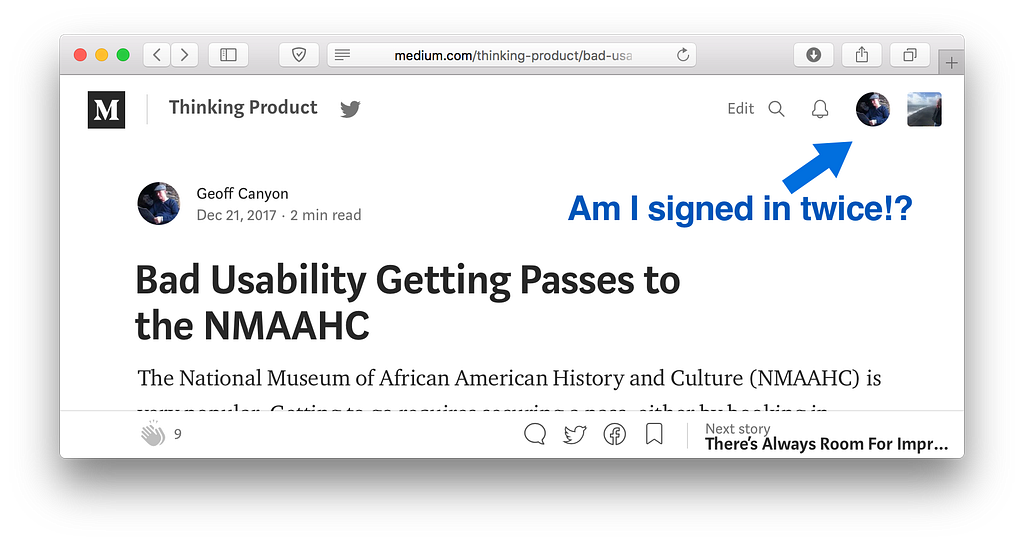
The obvious question is why is medium showing two different avatars for me? The menus in each avatar don’t make it clear, but they do provide enough information to figure it out:
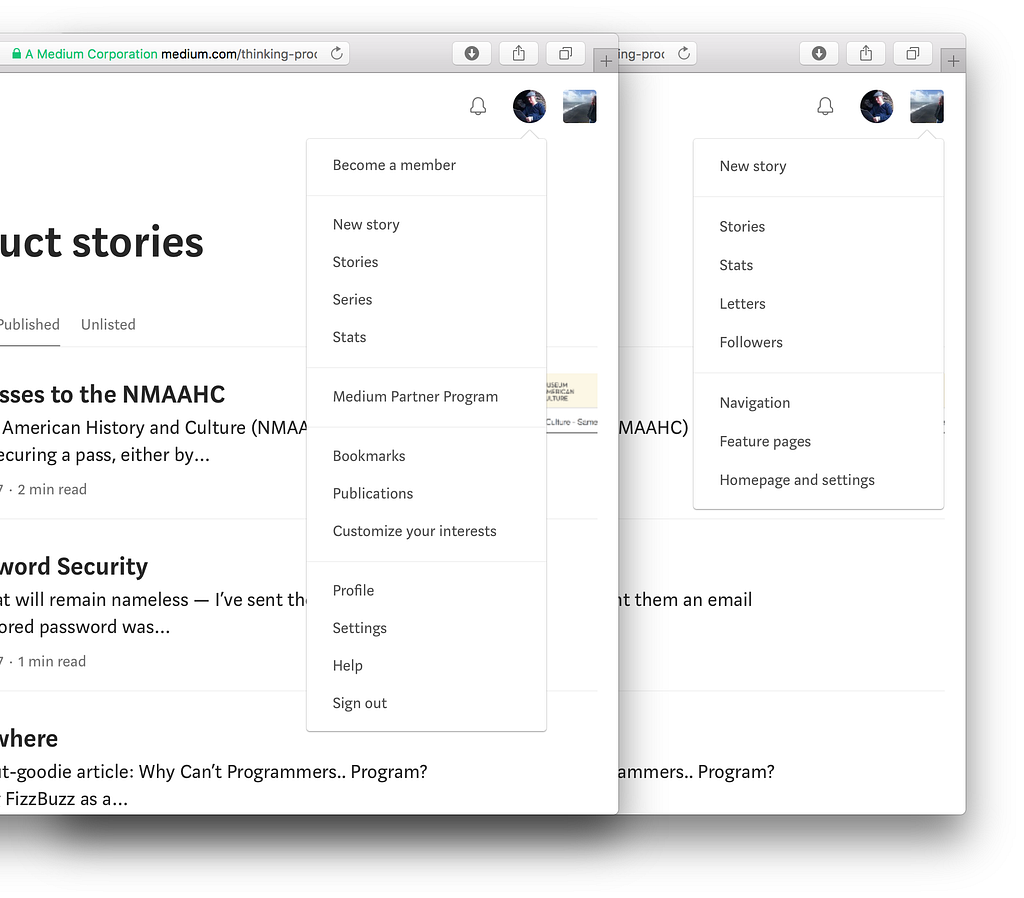
Despite the misleading “Become a Member” entry at the top of the round avatar’s menu, I’m logged in to Medium in that screen capture, and that’s my account’s avatar/menu. You can tell by the items at the bottom of the menu: Profile, Settings, and most obviously, Sign out.
The square avatar’s menu has none of those items, although there is overlap with New story, Stories, and Stats, and near-overlap with Homepage and settings. It turns out the square avatar is for this publication, Thinking Product. I don’t remember when Medium started putting up this separate menu for publications; it’s convenient, but initially confusing. This could be improved with mouseover text; with clearer menu items — Your account settings, New publication story; or just with text headers in the menus saying user and publication. It also wouldn’t hurt to have a Help menu item in the publication’s menu.