Contrasting Looks for Contrasting Things
On a gym weight stack, the add-on weight looks just like the plate next to it. It shouldn’t.
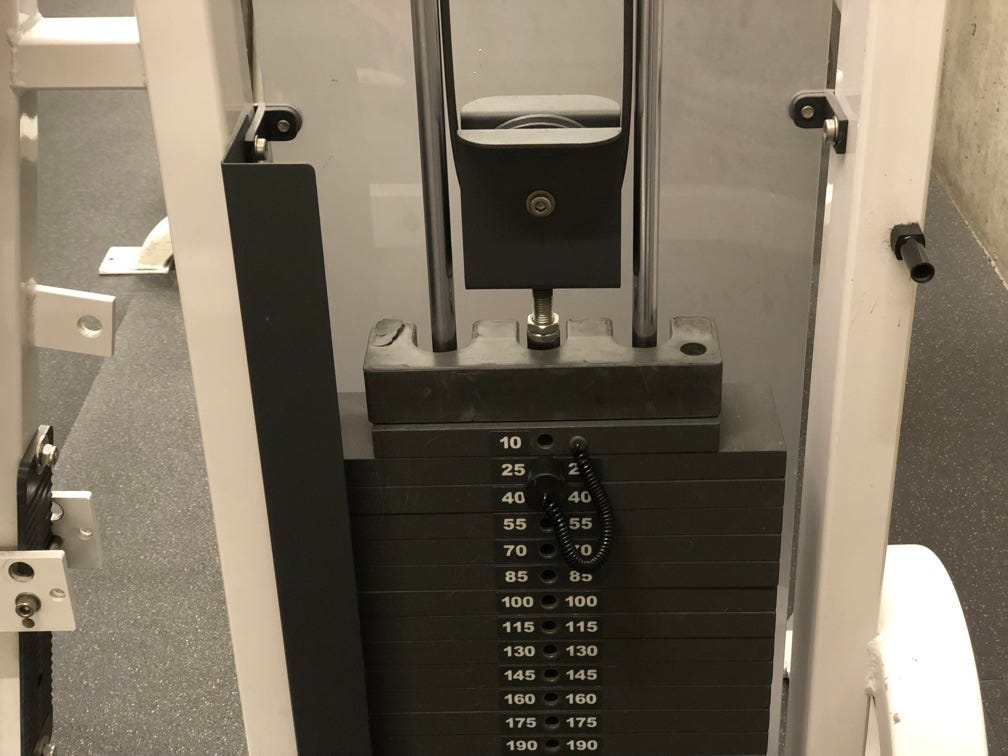
How much weight is set up on this piece of gym equipment? You can be forgiven for saying 25 pounds, since that’s the weight clearly marked on the plate the pin is in, but it’s actually 35 pounds. There is a removable weight on top of the stack, which allows you to set up amounts intermediate to the amounts on the plates. The plates go up in increments of 15 pounds; an add-on of 5 or 10 pounds allows you to subdivide the increments on the plates. For comparison, here’s what the stack looks like without the removable weight:
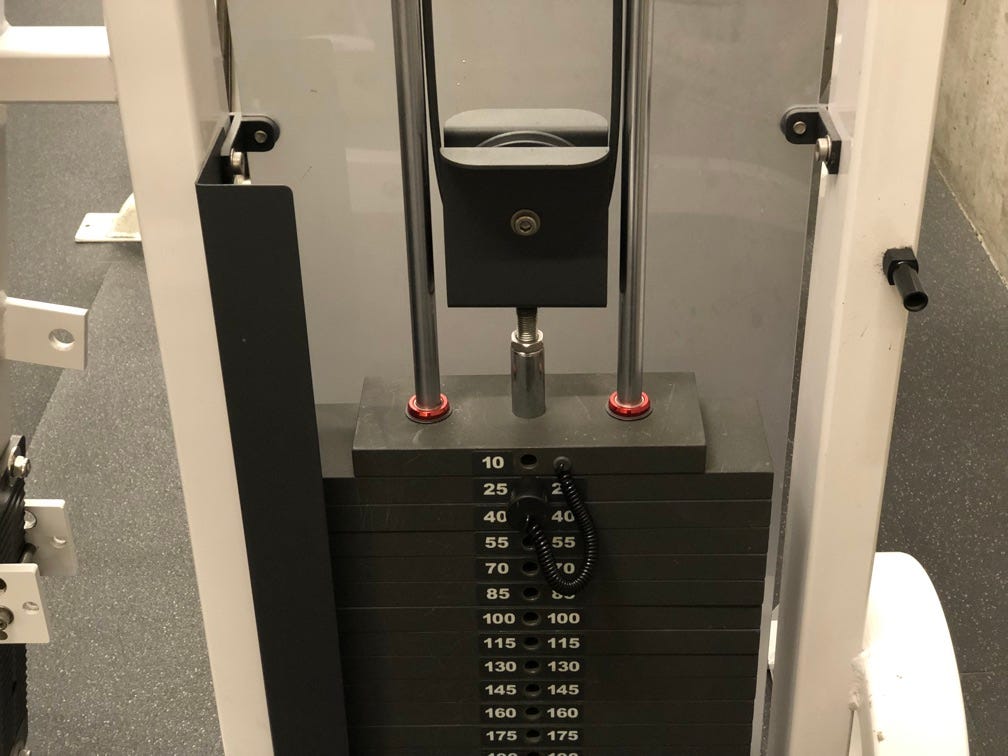
The add-on blends in with the first, 10 pound, plate in the stack, because it’s the same size and color. It’s easy to miss, and especially at lighter weights makes a significant difference. So how to avoid this issue? The obvious answer is to change the add-on’s color. It would be hard to miss if it were green:
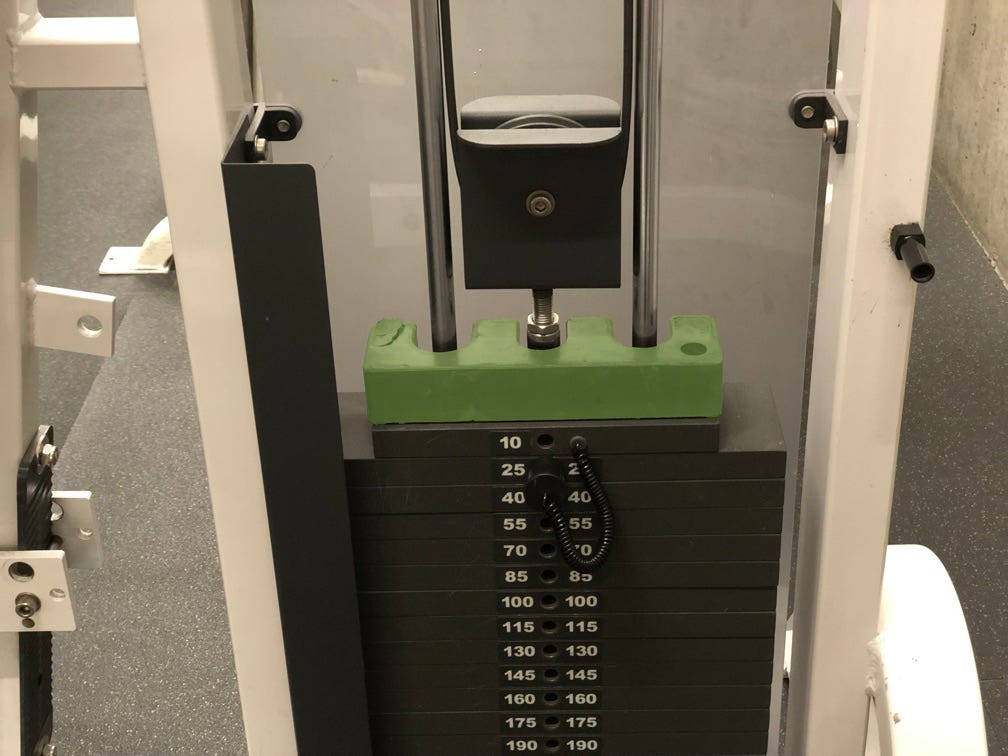
Shape should also be adjusted, because while color is useful for 95% of us, about 5% have trouble seeing it. Making the weight wider might work:
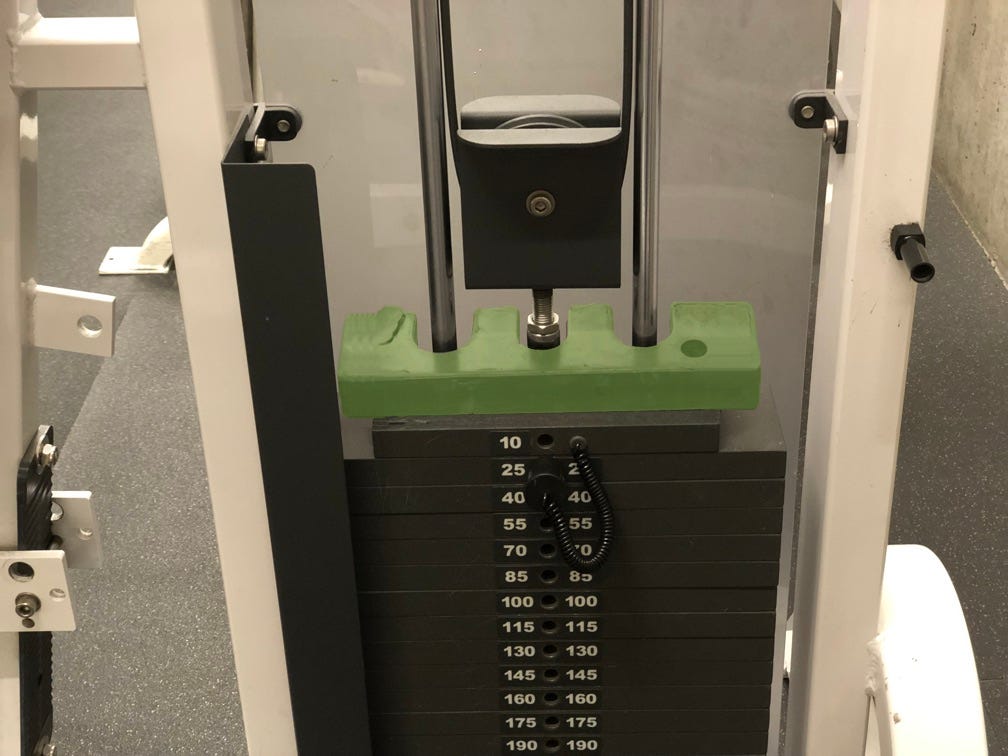
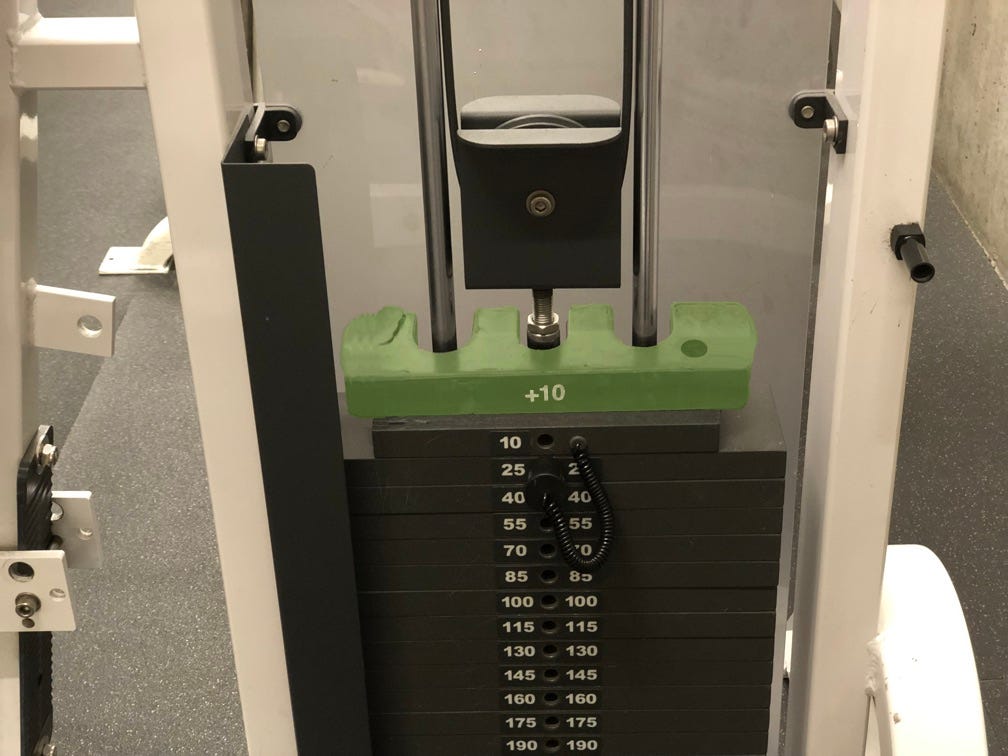
Or giving the ends a different shape. And of course, labeling the weight +10 would make sense. So finally, something like this:
Conclusion
When you provide the user a set of similar options, especially choices on a gradient, like the weight here, presenting a similar appearance across the range helps convey to the user what’s going on. But if you have an option that is different than the others, even if it accomplishes a similar purpose, it’s important to call it out to the user by giving it a unique appearance that calls out that it is different.